Granite 9
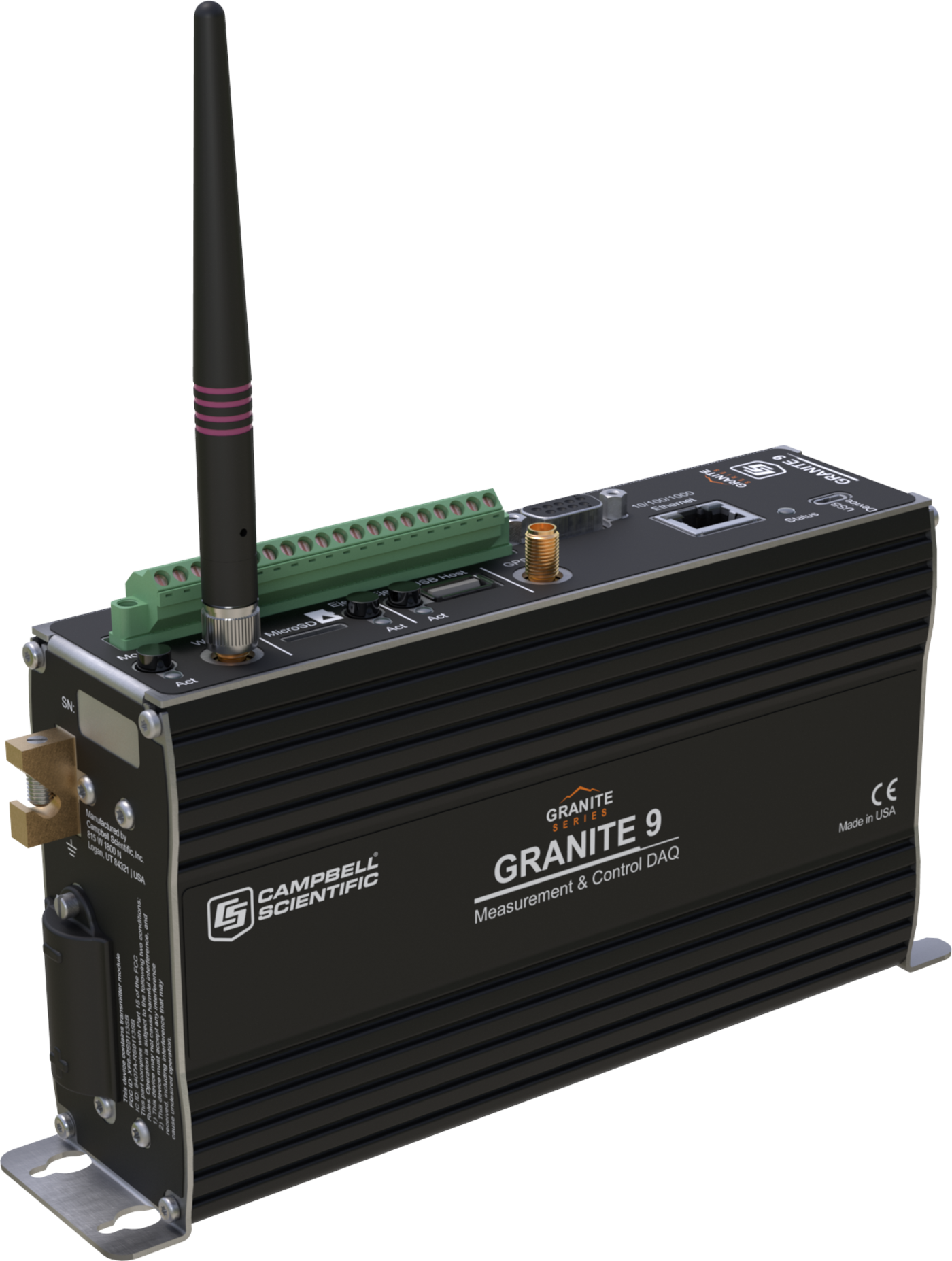
Granite 9
OrderableHigh-Capacity, High-Speed Data Acquisition System
Configuration
- Standard DutyGRANITE9-SDPart Number: 34744
- Extended DutyGRANITE9-XDPart Number: 34745
Select a configuration to add to your quote
- Model:
- Granite 9
- Item Number:
- GRANITE9
- Warranty:
- 3 years
Overview
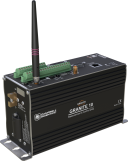
The Granite™9 and Granite™10 are the most computationally powerful data acquisition devices from Campbell Scientific. As an all-digital measurement and control DAQ, the Granite 9 is designed as the core of the data acquisition network, integrating with all GRANITE™ measurement modules, including the Volt 108, Volt 116, Temp 120, and VWire 305.
Key Advantages
Designed for structural health and environmental monitoring projects where multiple high-speed channels with expandable capabilities may be required
Technical Description
The Granite 9 enables you to perform the following:
- Standard measurement functions
- Advanced math and processing functions
- Control functions
A complete GRANITE system installation may include the following components:
- Granite™Chassis
- Granite 9
- Power source (mains or solar)
- Software
Benefits
- Traditional network connections via Ethernet port
- EPI port switch for high-speed connection to all GRANITE measurement modules
- Onboard storage of streaming data with 2 GB of DDR3 SDRAM and a 64 GB solid-state hard drive (SSD)
- Built-in GPS for network synchronization
Specifications
- -NOTE-
- Additional specifications are listed in the GRANITE 9 Specifications.
- Power Requirements
- 9.6 to 32 Vdc
(voltage input)
- Real-Time Clock Accuracy
- ±3 min. per year
- Operating Temperature Range
- -40° to +70°C
(standard)
-55° to +85°C(extended)
Non-condensing environment - Case Material
- Stainless steel 304 and aluminum 6061
- Communications Ports
- EthernetUSB Micro BUSB hostCS I/O0 to 5 V serialSDI-12RS-485RS-422CPI/RS-232EPI
- Data Storage Ports
- microSDUSB host
- Digital I/O
- 8 terminals (C1 to C8) configurable for digital input and output.
Terminals are configurable in pairs for 5 V or 3.3 V logic for some functions.
- Internet Protocols
- Ethernet, PPP, RNDIS, ICMP/Ping, Auto-IP (APIPA), IPv4, IPv6, UDP, TCP, TLS (v1.2), DNS, DHCP, SLAAC, Telnet, HTTP(S), SFTP, FTP(S), POP3/TLS, NTP, SMTP/TLS, SNMPv3, CS I/O IP
- Communication Protocols
- CPI, EPI PakBus, PakBus Encryption, SDM, SDI-12, Modbus RTU / ASCII / TCP, DNP3, custom user definable over serial, UDP, NTCIP, NMEA 0183, I2C, SPI
- Warranty
- 3 years standard (against defects in materials and workmanship)Optional: An additional 2 years (against defects in materials and workmanship), bringing the total to 5 years
- Battery-backed SRAM for CPU Usage & Final Storage
- 4 MB
- Data Storage
- 4 MB SRAM + 128 MB NOR flash
(Storage expansion of up to 16 GB with removable microSD flash memory card.)
64 GB SSD - Active Current Drain, Average
- ~6 W255 mA input
(24 V input)
495 mA input(12 V input)
- Static Vibrating-Wire Measurements
- Not supported
- Dimensions
- 21.4 x 12.0 x 5.0 cm
(8.4 x 4.7 x 2.0 in.)
Additional clearance required for cables and leads. - Weight
- 1.0 kg
(2.2 lb)
Common Accessories
(12)27158
2 GB microSD Flash SLC Memory Card
Several options of removable memory cards are available. The 27158 is one option. The 27158 is a 2 GB microSD flash-memory card. This card is designed for use in harsh conditions often presented by environmental and industrial applications. The card uses single-level cell (SLC) memory, which aids in its ability to operate over wide temperature ranges, consume less power, and provide a reliable data storage medium through more read-write cycles.
Orderable38476
16 GB microSD Flash aMLC Memory Card
Several options of removable memory cards are available. The 38476 is one option. The 38476 is a 16 GB microSD flash-memory card designed for use in harsh conditions often presented by environmental and industrial applications in which customers require higher reliability, endurance, and performance but also seek a cost-effective solution to meet budget-planning requirements.
Orderable35690
GRANITE Series DIN Rail Kit for 2 in. Modules
The 35690 can be purchased as an accessory to mount the 5.08 cm (2 in.) GRANITE™ modules on a DIN-Rail instead of the standard backplate mounting.
Orderable28899
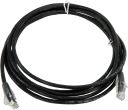
CAT6 Ethernet Unshielded Cable with RJ45 Connectors, 2 ft
An RJ45 cable may be needed, and several options are available. The 28899 is one option. The 28899 is a 2 ft, unshielded CAT6 network cable with RJ45 connectors. It is typically used to connect CDM devices together or to an SC-CPI. This cable is also used to connect one of our many Ethernet-capable products to an Ethernet device or network connection.
Orderable28900
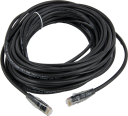
CAT5e Ethernet Unshielded Cable with RJ45 Connectors, 10 ft
An RJ45 cable may be needed, and several options are available. The 28900 is one option. The 28900 is a 10 ft, unshielded, CAT5e network cable with RJ45 connectors. It is typically used to connect one of our many Ethernet-capable products to an Ethernet device or network connection.
Orderable28901
CAT5e Ethernet Unshielded Cable, RJ45 to RJ45, 50 ft
An RJ45 cable may be needed, and several options are available. The 28901 is one option. The 28901 is a 50 ft, unshielded, CAT5e cable with RJ45 connectors. It is typically used to connect CDM devices together or to a data logger. This cable can also be used to connect one of our many Ethernet-capable products to an Ethernet network connection.
OrderableHUB-CPI
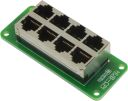
8-Channel RJ45 Hub for CPI Peripherals
The HUB-CPI allows eight CPI (CAN peripheral interface) devices to be connected together in parallel. Typically, this configuration includes one data logger and up to seven CDMs (Campbell distributed modules) or sensors that use CPI.
Orderable29370
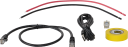
CPI Network Kit
One 29370 is needed for each CPI network. Among the items included in the 29370 kit is a roll of yellow vinyl electrical tape to distinguish Ethernet cables that use CPI protocol from similar cables used for TCP/IP.
Orderable31326
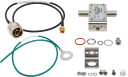
Surge Protection Kit, GPS Antenna Type N to SMA
A 31326 may be needed for GPS output. The 31326 is a GPS RF surge protection kit with flange mounting bracket. It may be flange-mounted to an enclosure backplate or bulkhead-mounted through an enclosure wall. One side of the surge protector connects to a GPS receiver with an SMA antenna connection. The other side connects to the GPS antenna/antenna coaxial cable with Type N connector. The surge protector passes up to ±6 Vdc, commonly needed for active GPS antenna applications.
OrderableDAQ Case 15
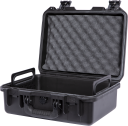
Data Acquisition (DAQ) Laboratory and Field Case
The DAQ Case 15 is a cost-effective and convenient carrying case for your valuable data acquisition equipment. This case is specifically configured for GRANITE™ Data Acquisition Systems and Campbell Scientific data loggers. The DAQ Case 15 is optimized for applications that require easy transport in a lab, in the field, or for short-term deployments.
OrderableGranite Chassis
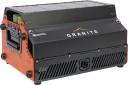
GRANITE Data Acquisition Systems Chassis
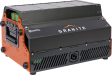
The Granite™Chassis is a platform for housing a complete GRANITE system. The Chassis can hold up to eight modules, which may include the DAQ (Granite™10, Granite™9, or Granite™6), CH400, and additional GRANITE measurement modules. Portability and protection are fundamental to the design, delivering optimal system performance in demanding conditions—especially when heat must be dissipated quickly. Up to five panel faces (four top, one rear) can be customized to mount a wide variety of connectors, providing rapid connection to the DAQ system, which is ideal for time-sensitive or repetitive testing applications. As a GRANITE system scales to larger arrays of sensors and supporting GRANITE modules, several additional Chassis can be daisy-chained to expand the GRANITE DAQ network. With the optional Rackmount Slide-Rail Kit, the Chassis can be easily mounted in a standard four-post server rack cabinet.
Orderable39177
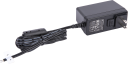
1.67 A 24 Vdc Power Supply
The 39177 converts 100 to 240 Vac to a regulated 24 Vdc. The 39177 comes standard with a USA/Canada plug, with an option to add a kit for international use. On one end, the 39177 has a plug that inserts into a wall socket. There are several cable termination options for the other end of the cable.
Orderable

Other Accessories
(6)31055
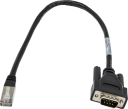
CPI/RS-232 Data Cable, RJ45 to DB9 Pin (Male)
The 31055 adapts an RS-232/CPI RJ45 port to a DB9 pin (male) connector. This cable is offered to make it easier to connect a DCE serial device, such as a cellular modem, to the RS-232/CPI port.
Orderable31056
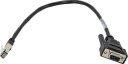
CPI/RS-232 Data Cable, RJ45 to DB9 Socket (Female)
The 31056 adapts an RS-232/CPI RJ45 port to a DB9 socket (female) connector. This cable is offered to make it easier to connect a DTE serial device, such as a computer or terminal server, to the RS-232/CPI port.
Orderable31897
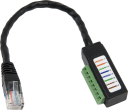
RJ45 Pin (Male) to Terminal Dongle Data Cable
The 31897 can be plugged into the RJ45 RS-232 port on a data logger to connect the data logger to an RS-232 sensor.
OrderableCR1000KD
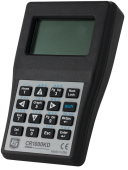
Keyboard/Display for CR1000(X), CR800, or CR6
The CR1000KD is a portable keyboard and display screen for our data loggers that have a CS I/O port. It allows you to check the data logger's status, display or plot sensor readings and stored values, and enter numeric data or change port/flag state. One CR1000KD may be carried from station to station in a data logger network.
OrderableSC110
Two Cables, RS-232 to Data Logger Control Port
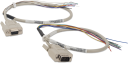
The SC110 consists of two cables to connect a data logger with RS-232 DCE and DTE devices. One end of each cable provides stripped, tinned leads for attachment to the control ports on a data logger. On the other end, one of the cables is fitted with a 9-pin pin (male) connector, and the other cable is fitted with a 9-pin socket (female) connector.
Orderable28558
Modular RJ45 Resistor Termination Plug for CPI Bus
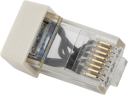
These termination resistor plugs are used in a CPI network.
Orderable
Replacement Parts
(16)8125
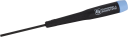
Flat-Bladed Screwdriver, 2.5 mm Blade x 50 mm Shaft
The 8125 is a small, flat-bladed screwdriver that is extremely useful for opening the guillotine terminals on our data loggers and measurement control devices.
Orderable505
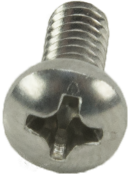
Screw #6-32 x .375 Pan Phillips
These screws, along with the 6044 grommets, are commonly used together to secure our equipment to the backplates of our enclosures.
Orderable6044
Grommet for #6 or #8 Screw
These grommets are commonly used with the 505 screws to secure our equipment to the backplates of our enclosures.
Orderable28490
Red Wire and Black Wire Power Cable Set
The 28490 includes two wires—one red and one black. These wires differ only in their insulation color; they have the same same length (1 ft) and gage (18 AWG). The red and black wires are used to connect a Campbell Scientific power supply to a data logger.
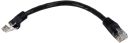
Orderable28898
CAT6 Ethernet Unshielded Cable with RJ45 Connectors, 6 in.
The 28898 is a 6 in., unshielded, CAT6 network cable with RJ45 connectors. It is typically used to connect CDM devices together or to an SC-CPI. This cable is also used to connect one of our many Ethernet-capable products to an Ethernet device or network connection.
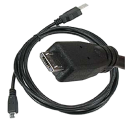
Orderable27555
USB 2.0 Cable, Type A Pin (Male) to Micro B Pin (Male), 6/6.5 ft
The 27555 is a USB Type A to Micro B, pin (male)-to-pin (male) cable, 6 to 6.5 ft long. It connects devices using the Micro B interface to a USB port on a computer.
Orderable16005
2.4 GHz 0 dBd Omnidirectional 1/2 Wave Whip Antenna
The 16005 is a unity gain (0 dBd), 1/2 wave whip, omnidirectional antenna that can be used with our 2.4 GHz radio products with RPSMA antenna connectors. It features an articulating knuckle joint for easy orientation, weatherized jacket for outdoor applications, and internal counterpoise for ground plane independence.
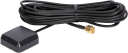
Orderable31182
27 dBi GPS Antenna with 3 V Magnetic Mount and SMA Connector
The 31182 is a magnetic mount GPS patch antenna. It is typically used where GPS reception is readily available and concern is low for snow buildup completely covering the antenna. The 31182 is also commonly used in cost-sensitive applications or applications that require a small-sized, low-profile antenna.
Orderable34774
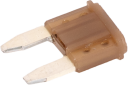
Mini-Blade 5 A Replacement Fuse Kit for Granite 9 and 10
The 34774 is the mini-blade five-amp fuse kit that can be ordered to replace the fuses that ship with the Granite™9 and Granite™10.
Orderable13519
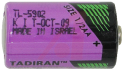
Replacement Lithium Battery
The 13519 is a 3.6 Vdc, 1.2 Ahr, 1/2 AA size cell battery. The 13519 needs to be periodically replaced. Typically, the battery is replaced when its voltage is at or below 2.7 Vdc.
Orderable34702
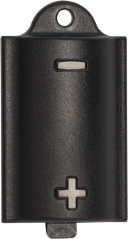
GRANITE Battery Cover
The 34702 is the external cover for the lithium battery on the Granite™6, Granite™9, and Granite™10. It ships attached to these data acquisition systems but can be ordered as a replacement.
Orderable34847
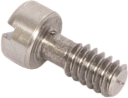
GRANITE Battery Cover Screw
The 34847 is the small screw used to secure the lithium battery cover on the Granite™6, Granite™9, and Granite™10. It ships with these data acquisition systems but can be purchased as a replacement.
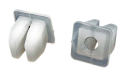
Orderable29474
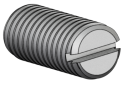
Stainless-Steel Screw #10-32 x .500 Slotted Set Cut Point
The 29474 is a ground lug with a slotted notch on its top that may be purchased to replace a lost or damaged ground lug.
Orderable34464
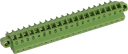
20-Pin Screw Terminal Plug Connector Marked for Granite 9 and 10 Control Ports
The 34464 is the 20-pin removable terminal plug connector for the Granite™9 and Granite™10. It ships with these data acquisition systems but can be purchased as a replacement or when it is beneficial to leave the connector attached to the sensors while using a single data acquisition system in different locations.
Orderable34614
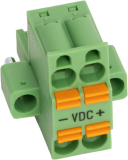
GRANITE Replacement Power Connector
The 34614 is the four-position power connector that ships with the GRANITE™ data acquisition and measurement modules. It can be purchased as a replacement.
Orderable34750
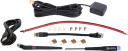
Parts Included Kit for the Granite 9 and Granite 10
The 34750 consists of the 28898 6 in. RJ45 to RJ45 cable, the 27555 USB 2.0 cable, the 9634 black and 9635 red power wires, the 8125 flat-bladed screwdriver, the 31182 GPS antenna, the 16005 omnidirectional 1/2 wave whip antenna, the 34774 Granite 9 and 10 replacement fuse kit, four 505 screws, and four 6044 grommets.
Orderable


Compatibility
Compatible Products
(9)Granite Chassis
GRANITE Data Acquisition Systems Chassis
OrderableNotes—DevConfig
Device Configuration Utility
OrderableNotes—LoggerNet
Data Logger Support Software
OrderableNotes—RTDAQ
Real-Time Data Acquisition Software
OrderableNotes—CR6
High-Capacity Data Acquisition System
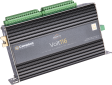
OrderableNotes—Granite Volt 108
8- or 16-Channel 5V Analog Input Module
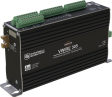
OrderableNotes—Granite Volt 116
16- or 32-Channel 5V Analog Input Module
OrderableNotes—Granite VWire 305
8-Channel Dynamic Vibrating Wire Analyzer
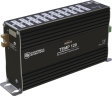
OrderableNotes—Granite Temp 120
20-Channel Thermocouple Module
OrderableNotesRequires OS version 1 or greater.
Incompatible Products
(1)
Related Resources
Case Studies

Documents
- Manual
GRANITE 9/10 Product Manual (PDF)
September 2026
View Document - Brochure
Granite 9 High-Capacity, High-Speed Data Acquisition System
May 2026
View Document - Compliance
GRANITE9 FCC Supplier Declaration of Conformity
March 2019
View Document - Manual
GRANITE 9 CRBasic Help (online)
January 2020
View Document
Showing 4 of 13 results
See all DocumentsDownloads
- Software ApplicationsCPI Calculatorv1.0
July 6, 2016
The CPI Calculator is a downloadable Microsoft Excel spreadsheet used to estimate the usage and capacity of a CPI network. The calculator provides an overview on CPI devices including the CDM-A108, CDM-A116, CDM-VW300, CDM-VW305, and the CSAT3B. The calculator can also estimate the measurement speed of the CDM-A108 and CDM-A116 based on the number of channels and measurement parameters. The CPI Calculator is an estimation tool and will help you better understand and design CPI networks by considering the following: What is the capability of each CDM or CPI device What is the CPI network capacity How much of the CPI capacity are the CDMs or CPI devices using
- OS and FirmwareGranite 9 OSv3.2.0
December 23, 2025
This OS should only be updated via direct connection with the Granite 9. This download is for the Granite 9 datalogger. Execution of this download places the Operating System file(.obj) on your computer. It also updates the CRBasic Editor compiler and support files. Note/Warning: Campbell Scientific always recommends updating operating systems on site if possible. When remote updates are required, it is recommended that you implement the necessary precautions to handle unexpected OS upload complications. All datalogger settings should be retained when updated remotely. If you choose to roll back to a previous operating system, the datalogger settings will be reset to default. Watch the Video Tutorial: Sending an OS to a Local Datalogger.
- Software ApplicationsVWire 305 program examplev1
January 16, 2020
Program to read 20 Hz dynamic data from two VWire 305 analyzers measuring eight channels each.
- Software ApplicationsCustom Menu Example Program for Connections Videov1
March 26, 2024
This program demonstrates creating a custom menu for data logger displays and corresponds to the Campbell Connections video: Creating Custom Menus in CRBasic for a Data Logger Display.
Videos and Tutorials

LoggerNet Software | Network Planner
April 16, 2013 (4:05)
Designing a PakBus™ network using the Network Planner tool in LoggerNet
Watch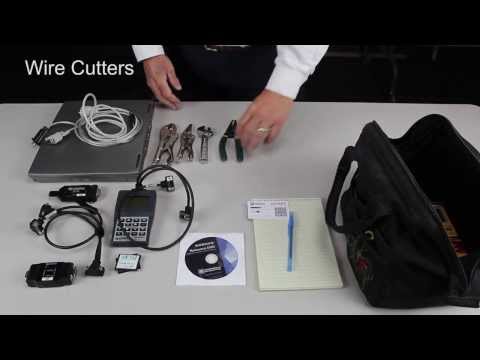
Toolbox for Installation and Maintenance
November 5, 2013 (2:21)
Helpful toolbox items for use in the field
Watch
SDI-12 Sensors | Transparent Mode
November 27, 2013 (7:06)
Communicating with an SDI-12 sensor
Watch
SDI-12 Sensors | Watch or Sniffer Mode
November 27, 2013 (3:20)
Watching communication between an SDI-12 sensor and a datalogger
Watch
Showing 4 of 62 results
See all Videos and Tutorials