CELL220
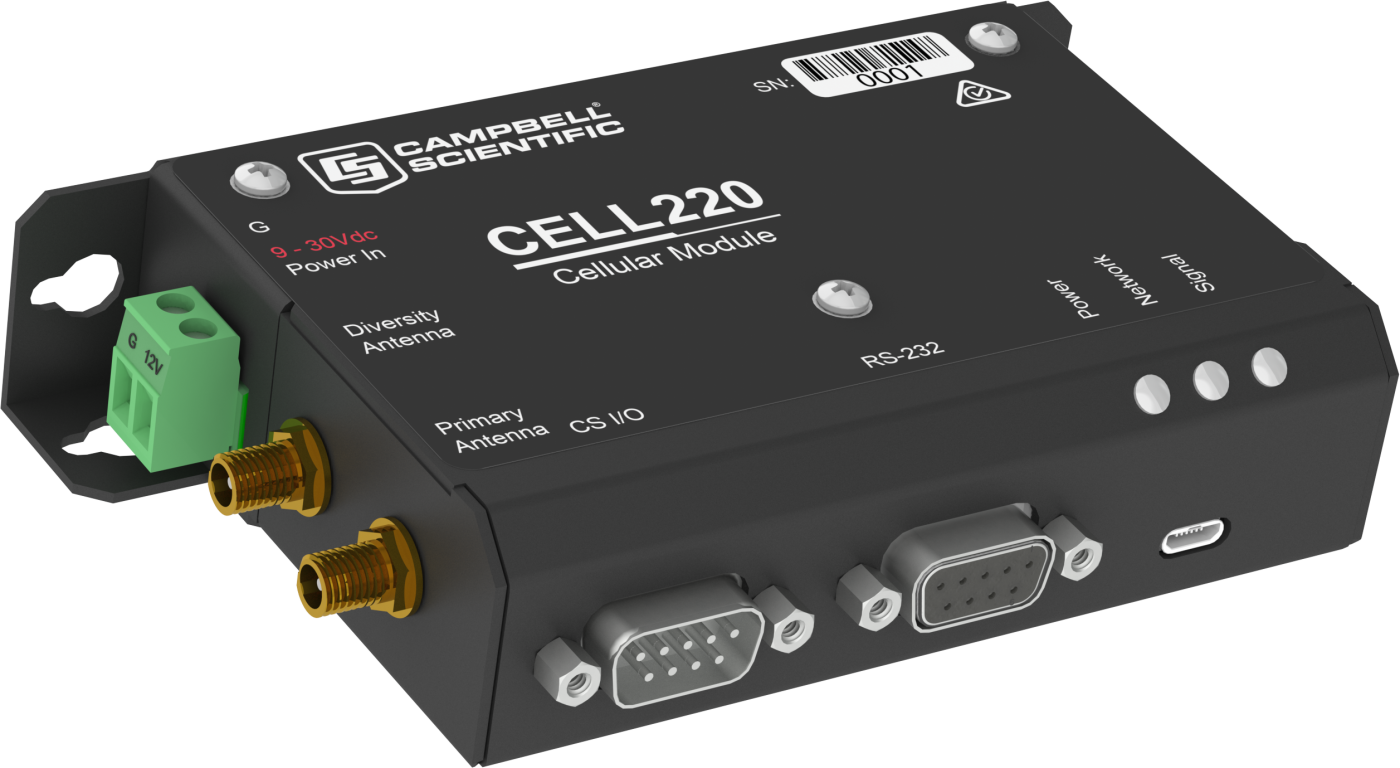
CELL220
Orderable4G LTE CAT-1 Cellular Module for Australia and New Zealand
Pricing
Configuration
Sign in for option pricing- Australia Provisioned for International 1ACELL220-IT1APart Number: 44223
- Australia Provisioned for International 1BCELL220-IT1BPart Number: 44224
- Telstra Australia/NZ (-40 to 80C) (Ships as 33587 & 16675) No ProvisioningCELL220-NPPart Number: 44046
Select a configuration to add to your quote
- Model:
- CELL220
- Item Number:
- CELL220
- Warranty:
- 1 year
Overview
By using Campbell Scientific’s external line of cellular modules, system integrators, OEMs, and large end users can avoid costly, time-consuming maintenance visits to remote devices around the world.
The CELL200 series of external cellular modules are 4G LTE cellular devices that provide serial or CS I/O connectivity to a number of cellular networks, including Verizon, AT&T, T-Mobile USA, Rogers, Bell, Telstra, and Telus. The networking and carrier used by the CELL200 series is determined by the model used and the SIM card inserted into the device.
The CELL220 has very low power consumption when compared to other cellular modems: 14 mA at idle, 39 mA when active, and 300 µA when in low power mode.
When coupled with Campbell Scientific data services, these devices are ready for you to use out of the box. There is no need for you to work with cellular carriers for provisioning and experience the accompanying hassle.
The CELL220 is part of the CELL200 series of modems that includes:
- CELL205 for use with AT&T
- CELL210 for use with Verizon
- CELL215 for use in EMEA countries
- CELL220 for use in Australia and New Zealand
- CELL225 for use in Japan
Note: The CELL220 does not ship with a SIM card unless the cellular modem was provisioned with/for Campbell Scientific cellular data services; the SIM card is provided by the carrier when signing up for service. For more information, visit the Cellular Data Services page.
Key Advantages
Low-power option for use in Australia and New Zealand
Technical Description
The CELL220 is an industrial 4G LTE cellular module. It requires at least one micro-SIM 3FF card (for six position/contacts interface) supplied by your cellular carrier and a suitable 12 or 24 Vdc nominal power source. The CELL220 has an RS-232 serial port and a CS I/O port that can be used for serial server, serial client, and PPP host services. These ports are commonly connected to a data logger RS-232 serial or CS I/O port. The CELL220 has two antenna connectors to be used for primary and diversity antennas, although the unit can operate with only the primary cellular antenna connected.
Internet Connectivity
The CELL220 provides Internet connectivity to any Campbell Scientific data logger located within range of a compatible cellular network. Armed with Internet connectivity, a data logger can remotely connect to Campbell Scientific software on a PC, mobile device, and the cloud. The CELL220 can also enable many data loggers to communicate using other Internet protocols, such as Modbus, DNP3, email, and web (HTTP).
Device Intelligence
The CELL220 provides highly reliable connectivity and remote device management independent of the device it is connected to. The numerous embedded services include IP serial server and client.
Establishing Cellular Service
Campbell Scientific offers low-cost cellular data service plans for the CELL220. Our data service plans include Verizon in the United States and AT&T in North America (US, Mexico, Canada), as well as international access to over 600 carriers in 185 countries. The Konect routing service is included to assure a secure connection with Campbell Scientific data logger support software.
Configuring the CELL220
The CELL220 is configured using a web-based configuration tool hosted by the cellular module. It can be accessed using Internet Explorer or Firefox remotely over the cellular WAN (when in serial server mode) or via USB.
The CELL220 can also be configured directly from the data logger when used in PPP mode (default mode) using the Device Configuration Utility or CRBasic instructions.
Data Logger Connection
Data loggers can be connected in a variety of ways to suit the needs of the application. Common methods include the use of serial or CS I/O cables.
Powering the CELL220
Compared to many other industrial cellular modules, the CELL220 has extremely low power consumption. The average current consumption at 12 Vdc is approximately 14 mA when idle, depending on its configuration. Additionally, the CELL220 can be turned on and off easily using a data logger SW12V port or the IPNetPower() instruction (PPP mode for the CR1000X, CR300, and CR6 only). When using the SW12V terminal, the modem can typically be powered with a BP12 battery, a CH150 charging regulator, and an SP10 solar panel.
Antennas
Campbell Scientific offers three antennas for the CELL220. Our 4G/3G/2G 0 dBd cellular dipole whip antenna (pn 32256) connects directly to the CELL220 (no cable required) and can transmit short distances. Our higher gain omnidirectional (pn 18285) and Yagi (pn 31128) antennas require a cable to connect them to the CELL220. The COAXSMA cable connects the antennas directly to the CELL220 cellular antenna connector. The COAXNTN-L cable and a surge protector (pn 31317) are used when the CELL220 is susceptible to lightning or electrostatic buildup or for long cable runs.
Sample Programs
- View this sample program for how to use some of the terminal commands with CELL2XX modules.
- To use the SetSettings functionality with the CR300, CR310, CR6, and CR1000X dataloggers, view this sample program.
Benefits
- Includes everything needed for use with a Campbell Scientific data logger or smart sensor
- Low power consumption for solar-powered sites
- Easy integration, setup, and installation
- No moving parts and low maintenance
- Compatible with modern Campbell Scientific data loggers
- Compatible with Edlog-era data loggers in serial server mode
- 4G LTE networking
- Ready for out-of-the-box use with Campbell Scientific data services
Specifications
- Certifications
- IC (Industry Canada)
10224A-201611EC21A
- Host Interface
- CS I/O communications port, DB9 maleRS-232 serial port, DB9 femaleUSB version 2.0 with micro-B connector
- RF Connectors
- 2 SMA antenna connectors
(primary and diversity)
- Operating Temperature Range
- -40° to +80°C
- SIM Interface
- 3FF (6 position/contacts)
Supports SIMs that require 1.8 or 3 Vdc. - Dimensions
- 13.46 x 8.1 x 2.86 cm
(5.3 x 3.19 x 1.13 in.)
- Weight
- 215.5 g
(7.6 oz)
Cellular WAN (EC-21AUT)
- Network Technology
- 4G LTE CAT-1
(with automatic fallback to 3G)
- Carrier Approval
- Telstra
- LTE
- 2100(B1), 1800(B3), 850(B5), 2600(B7), 700(B28)
- WCDMA
- 1900(B1), 850(B5)
Cellular WAN (EC-21AU)
- Network Technology
- 4G LTE CAT-1
(with automatic fallback to 3G)
- Carrier Approval
- Telstra
- LTE
- LTE 2100(B1), 1900(B2), 1800(B3), 1700/2100(B4), 2600(B7), 900(B8), 700(B28)
- WCDMA
- 2100(B1), 1900(B2), 850(B5), 900(B8)
Data Speeds
- LTE
- Max 10 Mbps
(download)
Max 5 Mbps(upload)
- WCDMA
- Max 384 Kbps
(download)
Max 384 Kbps(upload)
- GSM EDGE
- Max 296 Kbps
(download)
Max 236.8 Kbps(upload)
- GSM GPRS
- Max 107 Kbps
(download)
Max 85.6 Kbps(upload)
- RS-232 or CS I/O
- 9600 bps to 460.8 kps
Power Consumption
- Low Power Mode
- 300 µA
- Idle
- 14 mA
- Active
- 39 mA
Radio Output and Sensitivity
- Output Power
- 23 dBm on LTE24 dBm on UMTS
- Sensitivity Range
- -99.5 to 110.5 dBm
(10 M)
Accessories
(7)CELLDATA
Campbell Scientific Cellular Data Service Subscription
Orderable32256
4G/3G Cellular Whip Antenna with SMA Connector
Orderable32262
2 dBd 4G/3G Multiband Omnidirectional Antenna with Mounting Hardware
Orderable38485
4G/3G 9 dBi MIMO Cellular Antenna with 2 Type N Socket Connectors
Orderable18663
Null Modem Cable, 9-Pin PIn (Male) to 9-Pin Pin (Male)
Orderable27555
USB 2.0 Cable, Type A Pin (Male) to Micro B Pin (Male), 6/6.5 ft
Orderable6290
#1 Phillips Screwdriver
Orderable

Common Accessories
(14)CELLDATA
Campbell Scientific Cellular Data Service Subscription
At Campbell Scientific, we offer subscriptions to cellular data plans to be used with our RV50 modems, the cellular modems built into our CR300 and CR310 dataloggers, and our CELL200-series cellular modules (CELL205, CELL210, CELL215, CELL220, CELL225). Modems are provisioned and activated when you receive them. A subscription to cellular data service is available to those who purchase cellular-enabled devices. When ordering a cellular-enabled product, you can choose the Data Provisioning option to subscribe to Campbell Scientific Cellular Data Services. By doing so, the modem will be provisioned and activated to work on a selected carrier. When ordering a provisioned device, also choose a data plan. The annual subscription cost is based on the data plan and selected carrier. Data plans are available from 25 MB per month to 5 GB per month.
Orderable18663
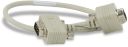
Null Modem Cable, 9-Pin PIn (Male) to 9-Pin Pin (Male)
The 18663 is needed if the CELL220 will be used with a CR200X-Series or CR300-Series Datalogger. This 1 ft, null modem cable has 9-pin connectors on both ends for connecting the data logger's RS-232 port to a peripheral's RS-232 port. An interface such as the SC105 or SC932A is typically not required.
Orderable27555
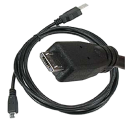
USB 2.0 Cable, Type A Pin (Male) to Micro B Pin (Male), 6/6.5 ft
The 27555 is needed if you want to connect to a PC. The 27555 is a USB Type A to Micro B, pin (male)-to-pin (male) cable, 6 to 6.5 ft long. It connects devices using the Micro B interface to a USB port on a computer.
Orderable6290
#1 Phillips Screwdriver
The 6290 may be needed to access a SIM card. The 6290 Phillips head screwdriver is commonly used to drive 505 screws into 6044 grommets, which are in turn seated into the square holes on the backplates of our enclosures. This screwdriver is included with the enclosure supply kit as well as other products.
Orderable32256
4G/3G Cellular Whip Antenna with SMA Connector
An antenna is needed for use with the CELL220. The 32256 is one option. The 32256 is a wide-band termination antenna with SMA connector and articulating base. It has a high-efficiency response on nearly all 4G, 3G, and 2G frequency bands and is, therefore, primarily used with cellular gateways and routers. This small, low-cost antenna is typically used in applications where antenna gain is not required to maintain a strong cellular link. For a cellular product that offers both primary and diversity antenna connections, use two of these antennas.
Orderable32262
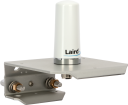
2 dBd 4G/3G Multiband Omnidirectional Antenna with Mounting Hardware
An antenna is needed for use with the CELL220. The 32262 is one option. The 32262 is an omnidirectional antenna with mounting bracket that is ideally suited for use with 4G and 3G cellular gateways. The mounting bracket attaches to a mast or crossarm, and it serves as the antenna ground plane. The antenna has an N type (female) threaded permanent stud for easy mounting to the included bracket or through an enclosure wall. A coaxial cable, sold separately, is required to connect this antenna to the inline surge suppression or radio antenna jack.
Orderable38485
4G/3G 9 dBi MIMO Cellular Antenna with 2 Type N Socket Connectors
An antenna is needed for use with the CELL220. The 38485 is one option. The 38485 antenna is a wideband, dual-port, directional-panel antenna with slant 45 polarization that covers US LTE700/Cellular/PCS/AWS/MDS and global GSM900/GSM1800/UMTS/LTE2600 bands. The antenna is ideal for both indoor and outdoor applications. It includes a UV-stable radome enclosure that provides years of use without degradation to either mechanical properties or aesthetics.
Orderable21847
Cellular Phone Antenna Cable, Type N Pin (Male) to SMA
A cable is needed for a non-whip antenna. The 21847 is one of three options. The 21847 is a 12 ft LMR195 coaxial cable fitted with a Type N pin (male) connector on one end and an SMA connector on the other end.
OrderableCOAXSMA
LMR195 Antenna Cable with SMA and Type N Pin (Male) Connector
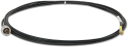
A cable is needed for a non-whip antenna. The COAXSMA is one of three options. The COAXSMA is an LMR195 coaxial cable fitted with a Type N pin (male) connector on one end and an SMA connector on the other end. This cable is commonly used to connect an antenna with Type N connector to a cellular or spread-spectrum radio with an SMA connector.
OrderableCOAXNTN
RG8 Antenna Cable with 2 Type N Pin (Male) Connectors
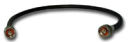
A cable is needed for a non-whip antenna. The COAXNTN is one of three options. The COAXNTN consists of an RG8/U, low-loss coaxial cable fitted with a Type N pin (male) connector on each end. It can support any 50 ohm transmission line application.
Orderable31317
Surge Protection Kit, Type N to SMA, 700 to 2700 MHz
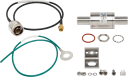
The 31317 is an RF surge protection kit with flange mounting bracket. It may be flange-mounted to an enclosure backplate or bulkhead-mounted through an enclosure wall. One side of the surge protector connects to a radio with an SMA antenna connection. The other side connects to an antenna/antenna coaxial cable with Type N connector.
OrderableCM230
Adjustable Inclination Mounting Kit
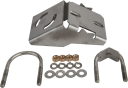
The CM230 is an optional mount that can be used with a non-whip antenna. The CM230 is an adjustable mount to point directional antennas or sensors at a specific target. The inclination can be adjusted to any angle from horizontal to vertical, supporting the use of upward-directed antennas or downward-directed infrared thermometers or snow-depth sensors.
OrderableCM230XL
Adjustable Angle Mounting Kit, Extended Length
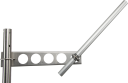
The CM230XL is an optional mount that can be used with a non-whip antenna. The CM230XL is an adjustable mount to point directional antennas or sensors at a specific target. The inclination can be adjusted to any angle from horizontal to vertical, supporting the use of upward-directed antennas or downward-directed infrared thermometers or snow-depth sensors.
Orderable21212
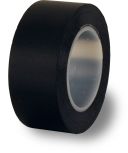
Black Cold Shrink Tape
The 21212 is used with a non-whip antenna. The 21212 is a 10-ft roll of black self-vulcanizing tape. This cold shrink tape can help protect antenna connections in cellular networks.
Orderable
Replacement Parts
(4)SC12
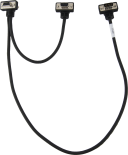
Robust CS I/O Cable, 2 ft
The SC12 is our standard cable for connecting the data logger's 9-pin serial I/O port to most peripherals with a 9-pin port.
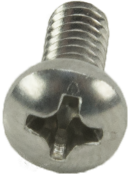
Orderable505
Screw #6-32 x .375 Pan Phillips
These screws, along with the 6044 grommets, are commonly used together to secure our equipment to the backplates of our enclosures.
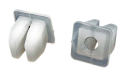
Orderable6044
Grommet for #6 or #8 Screw
These grommets are commonly used with the 505 screws to secure our equipment to the backplates of our enclosures.
Orderable3768
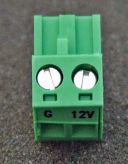
2-Pin Screw Terminal Plug Connector
This green, plug-in power connector provides screw terminals for connecting the 12 V and GND wires of the modem's power supply.
Orderable
Ships With
(6)- SC12
- CELL200-series Quick Deploy Guide (for public static IP addresses)
- Konect Router Redemption Code Card
- CELL200-series Quick Deploy Guide (for private dynamic IP addresses)
505
Screw #6-32 x .375 Pan Phillips
OrderableQty 46044
Grommet for #6 or #8 Screw
OrderableQty 4
Compatibility
Note: In serial server mode, a cellular account with a static IP address is required.
| Data Logger Model | Connecting to CELL220 via CS I/O Port | Connecting to CELL220 via RS-232 Port (choose one) |
| CR300 and CR310 |
N/A |
|
| CR6 |
16675 SC12 CS I/O cable |
|
| CR1000X | 16675 SC12 CS I/O cable (PPP and serial server) |
|
| CR200(X) Series |
N/A |
|
| CR800 and CR850 |
16675 SC12 CS I/O cable |
|
| CR1000 and CR3000 |
16675 SC12 CS I/O cable |
|
| CR5000 |
N/A |
|
| CR510 and CR10X |
N/A |
|
| CR510-PB and CR10X-PB |
16675 SC12 CS I/O cable |
|
| CR23X |
N/A |
|
| CR23X-PB |
16675 SC12 CS I/O cable |
|
Compatible Products
(1)
Related Resources
Case Studies

Documents
- Brochure
CELL220 Cellular Module for Australia and New Zealand
March 2026
View Document - Manual
CELL200-Series 4G LTE Cellular Module
September 2026
View Document - Compliance
CELL220 Supplier Declaration of Conformity
June 2018
View Document - Document
Cellular Modem Frequency Bands
February 2024
View Document
Showing 4 of 8 results
See all DocumentsDownloads
- CELL2xx Operating Systemv2.030Login required
February 7, 2022
OS and FirmwareTo update the CELL200 series operating system: Connect a USB cable between your module and computer. Open a web browser and go to: www.cell.linktodevice.com/. On the OS Update tab, click on the Send File button and select the new firmware file. (i.e. CELL_2xx_01_02_030.WEB.OBJ.GZ) The update process can take 2 to 4 minutes. Why Update? This OS resolves network registrations issues. Updated CELL205 to manage AT&T's shut down of its 3G network.
- CELL2XX example programs
June 22, 2021
Software ApplicationsThree example programs as described in the CELL200-Series manual. The Power program shows how to control power to the CELL200 series by using the CRBasicIPNetPower() instruction. The SetSettings example shows how to set up the cellular module using the SetSetting() instruction. It also illustrates how to retrieve status information from the module in the CRBasic program. The Settings example demonstrates using terminal commands.