This product is not available for new orders. We recommend ordering: LoggerLink.
| Services Available | |
|---|---|
| Repair | No |
| Calibration | No |
| Free Support | No |
Overview
PConnectCE software supports communications between a Campbell Scientific data logger and a PocketPC or Windows Mobile device. PConnectCE allows you to go into the field carrying only your PDA and cables instead of having to lug a laptop computer to communicate with your data logger and collect your data.
Read MoreImages
Detailed Description
PConnectCE can be used to collect data from the data logger, and transfer the data to an office PC. Collected data are transferred to the PC during the ActiveSync® process. This process also synchronizes program files between the handheld and the PC.
Functions supported by PConnectCE includes the capability to:
- Create unique station files for each data logger
- Collect data from the data logger
- Display real-time data logger measurements. Measurements are updated every two seconds.
- Set data logger flags, ports, and clock
- Access the data logger terminal mode
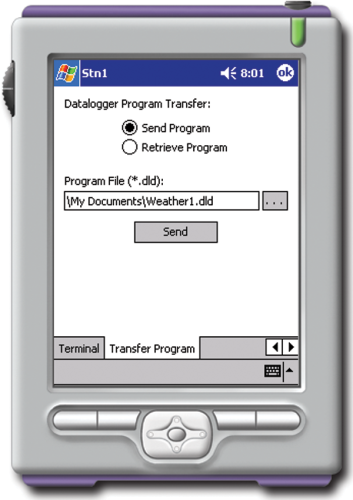
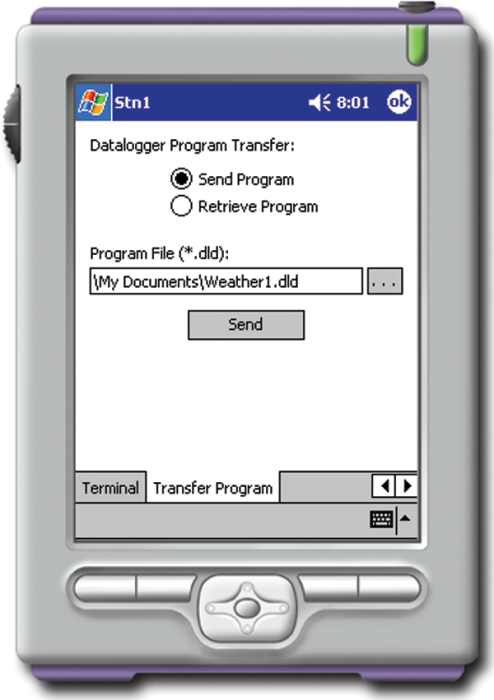
- Transfer data logger programs between the data logger and handheld
- Display Final Storage data in tabular or comma-separated format
- Communicate using a direct serial connection, RF401-series Spread Spectrum Radio, or Bluetooth
- Graph one element from any array
- Communicate at baud rates of 38,400 bps (CR800, CR850, CR1000, CR23X, CR3000) and 9,600 bps (all other data loggers)
DCE/DTE Information
PConnectCE ships with connectors and cables that assume the PDA acts as a DCE device (data communications equipment), with the 9-pin cable terminating in a female connection. Some PDAs act like a DTE device (data terminal equipment) and the 9-pin cable terminates in a male connection. If this is the case, for communication via the CS I/O port, you will most likely use an SC32B (purchased separately) in place of the PDA-to-CSI/O connector that ships with the software. To communicate via the data logger's RS-232 port, the PDA's serial cable can be plugged in directly to the data logger's RS-232 port (or a standard serial cable can be used if extended cable length is required). There may be exceptions, however, to this general rule. If you have questions about the RS-232 capabilities of your handheld device, check with the device manufacturer.
Compatibility
Note: The following shows notable compatibility information. It is not a comprehensive list of all compatible or incompatible products.
Data Loggers
| Product | Compatible | Note |
|---|---|---|
| 21X (retired) | ||
| CR10 (retired) | ||
| CR1000 (retired) | The CR200X-series and CR1000 dataloggers require PConnectCE version 2.0 or higher. | |
| CR10X (retired) | For the CR510, CR10X, and CR23X, support for both the mixed-array and PakBus® data logger operating systems is provided in PConnectCE version 2.0 or higher; prior versions only supported the mixed-array OS. | |
| CR200X (retired) | The CR200X-series and CR1000 dataloggers require PConnectCE version 2.0 or higher. | |
| CR206X (retired) | The CR200X-series and CR1000 dataloggers require PConnectCE version 2.0 or higher. | |
| CR211X (retired) | The CR200X-series and CR1000 dataloggers require PConnectCE version 2.0 or higher. | |
| CR216X (retired) | The CR200X-series and CR1000 dataloggers require PConnectCE version 2.0 or higher. | |
| CR23X (retired) | For the CR510, CR10X, and CR23X, support for both the mixed-array and PakBus® data logger operating systems is provided in PConnectCE version 2.0 or higher; prior versions only supported the mixed-array OS. | |
| CR295X (retired) | The CR200X-series and CR1000 dataloggers require PConnectCE version 2.0 or higher. | |
| CR3000 (retired) | The CR3000 requires PConnectCE version 2.1 or higher. | |
| CR500 (retired) | ||
| CR5000 (retired) | ||
| CR510 (retired) | For the CR510, CR10X, and CR23X, support for both the mixed-array and PakBus® data logger operating systems is provided in PConnectCE version 2.0 or higher; prior versions only supported the mixed-array OS. | |
| CR800 (retired) | The CR800 and CR850 require PConnectCE version 2.2 or higher. | |
| CR850 (retired) | The CR800 and CR850 require PConnectCE version 2.2 or higher. | |
| CR9000 (retired) | ||
| CR9000X (retired) |
Additional Compatibility Information
Data Logger Considerations
Data Logger Interfacing
- PDA-to-CS I/O connector or PDA-to-RS232 cable.
--OR--
- SC-IRDA Infrared Interface connects to the CS I/O port (not compatible w/CR200(X)-series)
PDA Requirements
- Operating system: Microsoft Pocket PC or Windows Mobile®
- Must be capable of serial communication
- If using the SC-IRDA, the PDA must have an IRDA port and an IR chip set compatible with the SC-IRDA.
- For Bluetooth communication, the handheld must be Bluetooth enabled.
- Pocket PCs or Mobile Handhelds Tested by Campbell Scientific
Communication Requirements
PDA Connection for Serial Communication
PDA-to-serial cable or cradle (one end of the cable/cradle must terminate in a 9-pin serial connector) is required. The cable/cradle connects to the PDA-to-CS I/O connector or PDA-to-RS232 cable via the 9-pin serial connector. This cable/cradle may be included with the PDA, or it may need to be purchased as a separate accessory from the PDA manufacturer or a third party supplier.
Bluetooth Communication
Third-party Bluetooth serial adapter is required. The interface and/or cables that are used to connect the adapter to the data logger will vary, depending upon whether the device acts like a DTE (computer) device or DCE (PDA) device. In some instances, this is evident by the pin-out of the adapter, but not always. A general rule is if the adapter has a 9-pin female connector, then the adapter is connected to the data logger using the PDA-to-CS I/O connector for the CS I/O port or the PDA-to-RS232 cable for the RS-232 port. If the adapter has a 9-pin male connector, then the adapter is connected to the data logger using an SC32B for the CS I/O port or it can be connected directly to the RS-232 port.
Software
- A compatible version of Microsoft ActiveSync installed on the PC
- One copy of PConnectCE software per handheld
Specifications
| Software Requirements |
|
| PDA Operating System | Microsoft Pocket PC or Windows Mobile |
| Operating Temperature | -25° to +50°C |
| CE Compliance | CE Compliant |
| PDA to RS-232 Cable Length | 38.0 cm (15.0 in.) |
| PDA to RS-232 Cable Weight | 75 g (2.6 oz) |
| PDA to CS I/O Connector Dimensions | 2.3 x 4.1 x 7.6 cm (0.9 x 1.6 x 3.0 in.) |
| PDA to CS I/O Connector Weight | 41 g (1.6 oz) |
Documents
Downloads
PCONNECTCE Patch v.2.33 (1.65 MB) 05-22-2008
Upgrade PConnectCE 2.0, 2.1 or 2.2 to 2.33.
PConnectCE 2.0, 2.1 or 2.2 must be installed on your machine.
Frequently Asked Questions
Number of FAQs related to PCONNECTCE: 7
Expand AllCollapse All
-
On the PDA, select Start | Programs | PConnectCE.
-
No. PConnectCE is compatible with direct serial communications (COM1─COM8), Infrared, Bluetooth, and point-to-multipoint RF401 radio communications in a Transparent RF network. For more information, refer to the “Connecting Your Pocket PC Handheld to the Datalogger” section of the instruction manual.
-
Yes. The value of an input location or Public variable can be changed from the Measurements tab.
-
PConnectCE is installed on the PC. When the hot sync process is used with the Windows Mobile device, PConnectCE is transferred to the device. For more information, refer to the instruction manual.
-
Use PConnect software for Palm devices or PConnectCE software for Windows Mobile devices.
Privacy Policy Update
We've updated our privacy policy. Learn More
Cookie Consent
Update your cookie preferences. Update Cookie Preferences