NL240
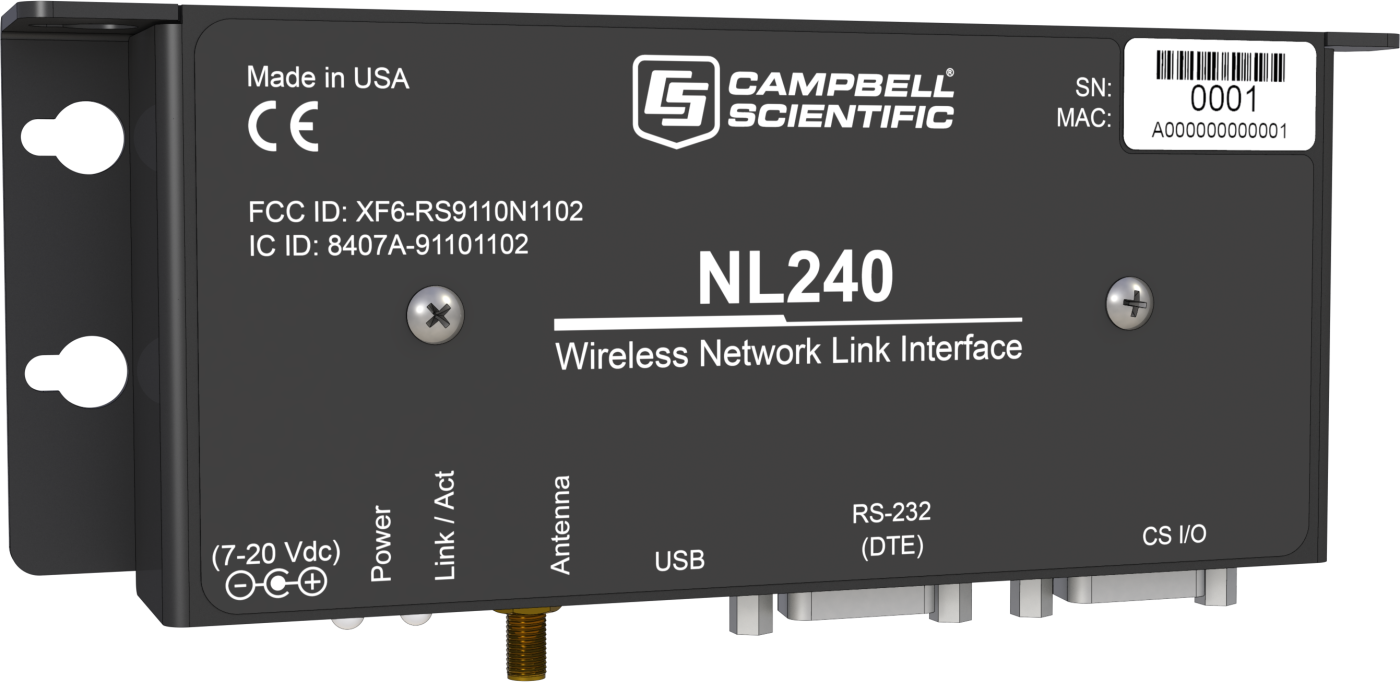
NL240
RetiredWireless Network Link Interface
No longer available to order
This product is retained for service, documentation, and compatibility information.
Replaced by
- NL241
Wireless Network Link Interface
- Model:
- NL240
- Item Number:
- 28714
- Warranty:
- 1 year
Overview
The NL240 is a powerful Wi-Fi network link interface that provides a wireless network connection to data loggers and peripherals. It supports sophisticated networking capabilities, especially when used in PakBus networks with PakBus devices. For example, with the NL240, multiple PakBus clients can be connected to a single data logger at the same time.
Key Advantages
Extremely low power consumption
Technical Description
The NL240 can take advantage of the thousands of Wi-Fi hotspots available in cafés, universities, hotels, and airports. Wi-Fi also provides encryption to protect traffic and uses a global set of standards so the same device can be used internationally.
The NL240 is an industrial device that goes beyond the typical Wi-Fi serial device server. It supports Wi-Fi communication with an iOS or Android device when used with our LoggerLink apps. By providing direct access to all the IP capabilities of the CR800, CR1000, and CR3000 dataloggers, the NL240 provides:
- M2M communication of data and events
- PakBus communication over TCP/IP for remote configuration, control, and data collection
- HTTP and FTP for posting, retrieving, and local hosting of data
- Email client for data and control messaging
- ModBus TCP/IP, DNP3, and NTCIP ESS industrial protocol support
Powering the NL240
The NL240 is typically powered by the data logger through the CS I/O port. When the NL240 is connected to the RS-232 port, a field cable (pn 14291) is used to connect the NL240 to an appropriate 12 Vdc power supply. A wall charger (pn 15966) is used when the NL240 is in an office next to a computer.
Benefits
- Low power consumption
- Wi-Fi-to-CS I/O bridging provides direct access to Internet protocol capabilities of CR6, CR800, CR850, CR1000, or CR3000 dataloggers
- Powerful PakBus routing capabilities
- Serial server functionality for networking Campbell Scientific devices, as well as third-party devices
- Provides IP connectivity for communication with LoggerLink smartphone app and LoggerNet PC software
Specifications
- Compliance
- CE compliant
- Material
- Aluminum case with black anodized finish
- Configuration
- Device Configuration Utility over USB or Wi-FiTerminal menu over TelnetTerminal menu over RS-232
- CS I/O Port
- SDC 7, 8, 10, or 11
(does not support ME)
- RS-232 Port
- DTE, DB9 Pin (Male)
- USB Port
- Micro-B
- Operating Temperature Range
- -25° to +50°C
(standard)
-55° to +85°C(extended)
- Power Connector
- CS I/O Port, DC barrel connector
(not powered over USB)
- Powered Over
- CS I/O or barrel plug
- Supply Voltage
- 7 to 20 Vdc
- Connections/Routes Supported
- Supports 50 simultaneous TCP connections.Up to 10 of the 50 TCP connections can be used for TLS.PakBus Router supports 50 routes.15 Modbus Server Transactions
(maximum)
- Dimensions
- 16 x 6.73 x 2.54 cm
(6.3 x 2.65 x 1 in.)
- Weight
- 177 g
(6.3 oz)
Communication Rate
- RS-232 Port
- 1200 bps to 115.2 kbps
- CS I/O Port
- 9600 bps to 460.8 kbps
WLAN
- Antenna Connector
- RPSMA
- Technologies Supported
- 802.11b/g/n, WPA, WPA2 /TKIP or AES, WEP, WEP(open), APIPA/AutoIP, IPv4, IPv6, ICMP/Ping, ICMPv6/Ping, TCP, DHCP Client, SLAAC, DNS Client, HTTPS Proxy, Telnet Server, TLS, PakBus, Modbus, TCP/IP
- Topologies
- Infrastructure and ad-hoc
- Transmit Power
- 7 to 17 dBm
(5 to 50 mW)
- Rx Sensitivity
- -97 dBm
(< 8% PER)
- Frequency
- 2.4 to 2.5 GHz
(2.4 GHz ISM band)
Power Consumption
- Maximum
- 950 mW
- Typical (Always On)
- 600 mW
(idle)
670 mW(communicating)
65 mW(searching for out-of-range network)
- Typical (Low Power Mode Enabled)
- 73 mW
(idle)
480 mW(communicating)
50 mW(searching for out-of-range network)
- Sleep
- 16 mW
Common Accessories
(5)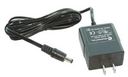
15966
Wall Charger with Barrel Plug
The 15966 is often used when the NL240 is in an office next to a computer. This ac/dc transformer accepts inputs from 90 to 260 Vac @ 47 to 63 Hz, and then outputs 12 Vdc @ 880 mA. The 15966 is fitted with a cable and barrel plug to connect the transformer to the NL240; cable length is 6 ft.
Note: The 15966 is not needed at field sites when connecting to the CS I/O port.Orderable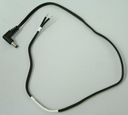
14291
Field Power Cable, 12 Vdc Plug to Pigtail
The 14291 field power cable allows the NL240 to be powered from a suitable 12 Vdc battery. It terminates in a barrel plug on one end for connection to the NL240 and two pigtails for connection to the 12V and GND terminals on a power supply. The cable has a 2 foot length.
Note: The 14291 is not needed at field sites when connecting to the CS I/O port.Orderable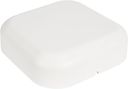
38485
4G/3G 9 dBi MIMO Cellular Antenna with 2 Type N Socket Connectors
The NL240 requires an antenna. The 38485 is one antenna option. The 38485 antenna is a wideband, dual-port, directional-panel antenna with slant 45 polarization that covers US LTE700/Cellular/PCS/AWS/MDS and global GSM900/GSM1800/UMTS/LTE2600 bands. The antenna is ideal for both indoor and outdoor applications. It includes a UV-stable radome enclosure that provides years of use without degradation to either mechanical properties or aesthetics.
Orderable
16005
2.4 GHz 0 dBd Omnidirectional 1/2 Wave Whip Antenna
The NL240 requires an antenna. The 16005 is a unity gain (0 dBd), 1/2 wave whip, omnidirectional antenna. Its articulating knuckle joint can be oriented vertically or at right angles. This antenna attaches directly to the radio; a cable is not required. The 16005 must reside inside a building or enclosure.
Orderable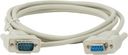
10873
Serial Data Cable, 9-Pin Socket (Female) to 9-Pin Pin (Male)
The 10873 is a DB9-female-to-DB9-male cable that connects the NL240 to the datalogger’s RS-232 port. The cable has a 6 ft length.
Orderable
Replacement Parts
(4)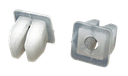
6044
Grommet for #6 or #8 Screw
These grommets are commonly used with the 505 screws to secure our equipment to the backplates of our enclosures.
Orderable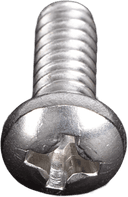
505
Screw #6-32 x .375 Pan Phillips
These screws, along with the 6044 grommets, are commonly used together to secure our equipment to the backplates of our enclosures.
Orderable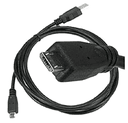
27555
USB 2.0 Cable, Type A Pin (Male) to Micro B Pin (Male), 6/6.5 ft
The 27555 is a USB Type A to Micro B, pin (male)-to-pin (male) cable, 6 to 6.5 ft long. It connects devices using the Micro B interface to a USB port on a computer.
Orderable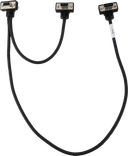
SC12
Robust CS I/O Cable, 2 ft
The SC12 is our standard cable for connecting the data logger's 9-pin serial I/O port to most peripherals with a 9-pin port.
Orderable
Similar Products
(1)
Compatibility
Wi-Fi ad hoc networking is provided for the purpose of networking between NL240 interfaces. Ad hoc networking is supported by iOS, allowing an iOS device to connect to an NL240 that has created a network. Wi-Fi ad hoc networking is not supported natively by Android OS and is difficult to support on Windows 7 and greater.
Software
Our Device Configuration Utility must be version 2.03 or higher.
Data Logger Considerations
| Data Logger | Serial Server | PakBus Router | Bridge Mode* |
| CR300♣ |  |
|
|
| CR200(X) Series | |
|
|
| CR800/CR850 | |
|
|
| CR1000 | |
|
|
| CR3000 | |
|
|
| CR5000 | |
||
| CR9000X | |
||
| CR6 | |
|
|
| CR1000X | |
|
|
| CR510-PB | |
|
|
| CR10X-PB | |
|
|
| CR23X-PB | |
|
|
| Mixed-Array Data Loggers |
** |
Notes:
♣The CR300 connects to the NL240 using a 10873 serial cable that is not supplied with the CR300 or the NL240. The CR300-series dataloggers are not compatible with the bridge mode functionality in the NL240 interface.
* The data logger OS must be OS 25 or higher for bridge mode applications.
** It is possible to use an NL240 to connect to a mixed-array data logger (e.g., CR10, CR10X, CR23X, 21X, CR7) by using an SC32B between the data logger's CS I/O port and the NL240's RS-232 port.
Related Resources
Documents
- Technical Paper
Line of Sight Obstruction
October 2016
View Document - Technical Paper
The Link Budget and Fade Margin
September 2016
View Document - Technical Paper
Data Streaming
July 2023
View Document - Brochure
NL240 Wi-Fi Communications Peripheral
March 2026
View Document
Showing 4 of 6 results
See all DocumentsDownloads
- Software ApplicationsNL240 Drivers
January 1, 2014
Windows USB drivers for the NL240 are installed via the Device Configuration Utililty. In the Device Configuration Utility, click on the link "install the device driver for the NL240" in the main body of text for the NL240. Note: Drivers must be installed before connecting the NL240 to your computer.
- OS and FirmwareNL240 Firmwarev10.03
September 4, 2018
Current NL240 firmware. Requires the Device Configuration Utility and a USB micro cable. Note: When updating to OS 10.03 from OS 6 or previous, settings will be reinitialized to factory defaults. When updating to OS 10.03 from OS 7, settings will be retained.
Videos and Tutorials

Blog Articles
Product Life Events
- Calibration Available Until
- October 15, 2018
- Retired
- October 15, 2018