NL201
NL201
OrderableNetwork Link Interface
Pricing
Request a quote Have pricing access? Sign in
Configuration
- -25 to +50C (Ships as 26244, 16675, & 27555)NL201-STPart Number: 42060
- -55 to +85C (Ships as 33957, 16675, & 27555)NL201-XTPart Number: 42061
Select a configuration to add to your quote
- Model:
- NL201
- Item Number:
- NL201
- Warranty:
- 1 year
Overview
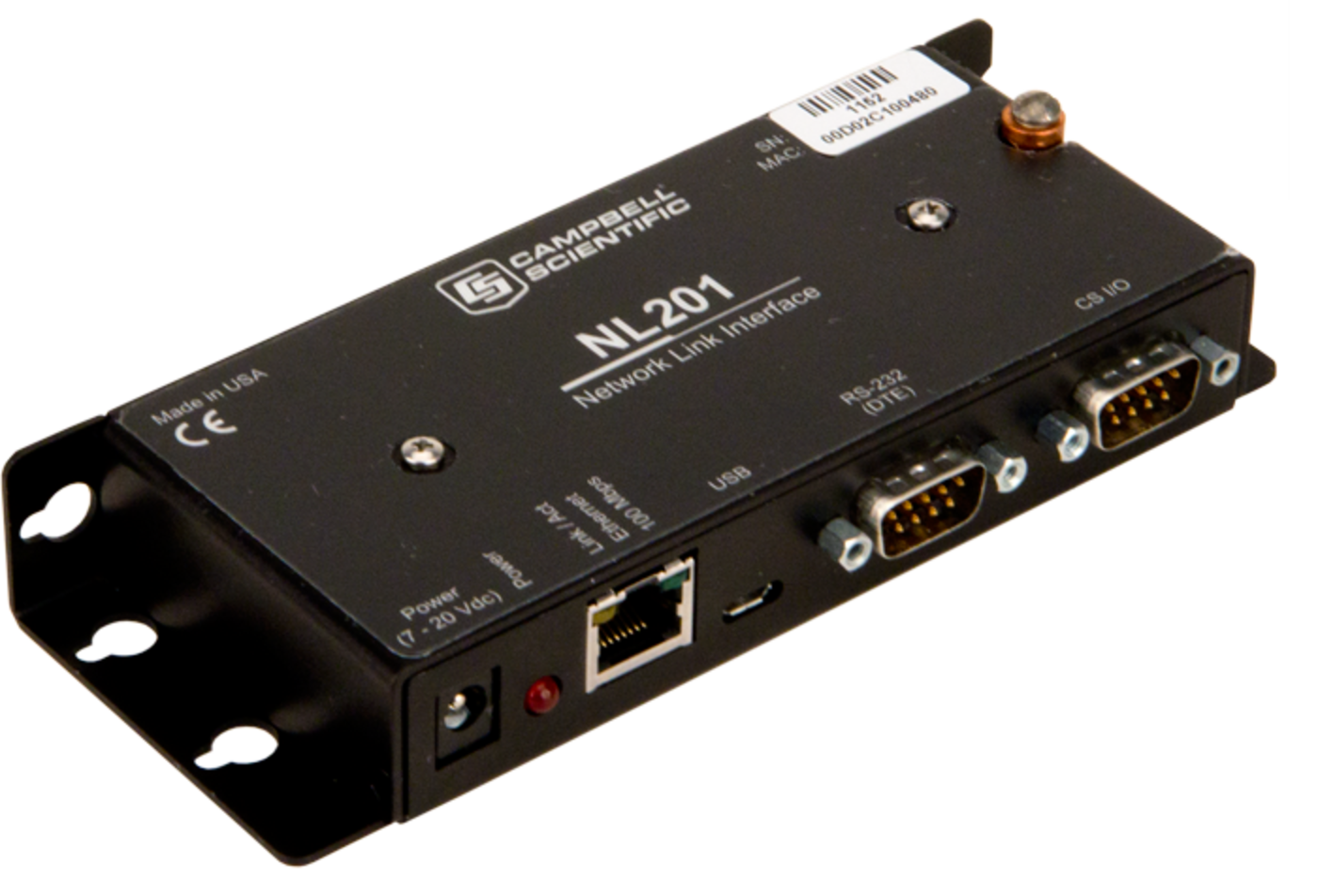
The NL201 is a serial-to-Ethernet interface that provides a wired Ethernet network connection to data loggers, peripherals, and other serial devices. The NL201 supports sophisticated networking capabilities for PakBus devices and networks. Using a unique technique to bridge the Ethernet and CS I/O ports, the NL201 can provide direct access to the integrated IP functionality of some Campbell Scientific data loggers. The NL201 can also act as a standard TCP serial server, serial client, Modbus TCP/IP gateway, and TLS proxy server for HTTPS and user-defined-port communication.
Key Advantages
Very low power
Technical Description
The NL201 connects to an Ethernet network using a 10Base-T/100Base-TX, full or half duplex, Ethernet interface. It has CS I/O and RS-232 ports for connecting a Campbell Scientific data logger, peripheral, Modbus RTU, or other serial-based device. A USB micro B connection is provided for on-site configuration using Device Configuration Utility software.
The NL201 can act as a PakBus router, TCP serial server, TCP serial client, Modbus TCP/IP gateway, and TLS proxy server for HTTPS and user-defined-port communications.
The NL201 also provides a unique mode that bridges the Ethernet and CS I/O ports. This allows access to the internal IP functionality of the CR6, CR800, CR850, CR1000, and CR3000 (for example, web page access, email, FTP). Adding an NL201 configured in this manner to a CR800 is analogous to adding an NL121 to a CR1000’s peripheral port. Adding an NL201 configured in this manner to a CR800 is analogous to adding an NL120 to a CR1000’s peripheral port.
Benefits
- Extremely low power consumption (650 mW)
- Provides access to the native Internet protocol capabilities of the CR6, CR800, CR850, CR1000, and CR3000
- Rugged serial-to-Ethernet server for networking devices and peripherals
- PakBus routing and device initiated connections
Specifications
- Transmission Distance or Area
- Worldwide
- Power Connector
- CS I/O port or DC barrel connector
(not powered over USB)
- Power Requirements
- 7 to 20 Vdc
- CS I/O Port
- SDC 7, 8,10, or 11
(does not support ME)
- RS-232 Port
- DTE
- USB Port
- Micro-B
- Ethernet Port
- 10Base-T and 100Base-TX (full and half duplex), Auto-MDIX, Auto-IP (APIPA), IPv4, IPv6, ICMP/Ping, ICMPv6/ Ping, TCP, DHCP Client, SLAAC, DNS Client, HTTPS Proxy, Telnet Server, TLS, PakBus, Mobus TCP/IP
- Connections/Routes Supported
- Supports 50 simultaneous TCP connections.Up to 10 of the 50 TCP connections can be used for TLS.PakBus Router supports 50 routes.15 Modbus Server Transactions
(maximum)
- Temperature Range
- -25° to +50°C
(standard)
-55° to +85°C(extended)
- Configuration
- Device Configuration Utility over USB or EthernetTerminal menu over TelnetTerminal menu over RS-232
- Service Requirements
- Ethernet access
- Dimensions
- 16 x 6.73 x 2.54 cm
(6.3 x 2.65 x 1 in.)
- Weight
- 177 g
(6.3 oz)
Current Drain
- Active
- 50 mA
(@ 13 Vdc)
- Forced Standby
- 2 mA
(available when using Ethernet-to-CS I/O Bridge Mode)
Communication Rate
- RS-232 Port
- 1200 bps to 115.2 kbps
- CS I/O Port
- 9600 bps to 460.8 kbps
- Ethernet
- 10/100 Mbps
Compliance
- RoHS
- Compliant
- European Standards
- Meets requirements for a class B device under European Standards.
- Application of Council Directive(s)
- 2004/108/EC
- Standards to Which Conformity Is Declared
- EN61326-1;2013
Accessories
(7)28899
CAT6 Ethernet Unshielded Cable with RJ45 Connectors, 2 ft
Orderable28900
CAT5e Ethernet Unshielded Cable with RJ45 Connectors, 10 ft
Orderable14291
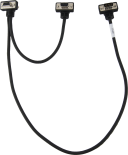
Field Power Cable, 12 Vdc Plug to Pigtail
Orderable15966
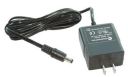
Wall Charger with Barrel Plug
Orderable10873
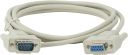
Serial Data Cable, 9-Pin Socket (Female) to 9-Pin Pin (Male)
Orderable28033
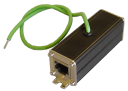
Ethernet In-line Surge Protection
Orderable27133
Four-Year Extended Warranty for the NL201
Orderable
Common Accessories
(8)15966
Wall Charger with Barrel Plug
The 15966 is often used when the NL201 is in an office next to a computer. It is an ac/dc transformer that accepts inputs from 90 to 260 Vac @ 47 to 63 Hz, and then outputs 12 Vdc @ 880 mA. The 15966 is fitted with a cable and barrel plug to connect the transformer to the NL201; cable length is 6 ft.
Orderable14291
Field Power Cable, 12 Vdc Plug to Pigtail
The 14291 is a field power cable that allows the NL201 to be powered from a suitable 12 Vdc battery. It terminates in a barrel plug on one end for connection to the NL201 and two pigtails for connection to the 12V and GND terminals on a power supply. The cable has a 2 foot length.
Orderable10873
Serial Data Cable, 9-Pin Socket (Female) to 9-Pin Pin (Male)
The 10873 is a DB9-female-to-DB9-male cable that connects the NL201 to the datalogger’s RS-232 port. The cable has a 6 ft length.
Orderable28900
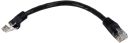
CAT5e Ethernet Unshielded Cable with RJ45 Connectors, 10 ft
The 28900 is an unshielded CAT5 Ethernet cable used when the cable is run from a hub to the NL201. Cable length is 10 ft.
Orderable28033
Ethernet In-line Surge Protection
The 28033 Ethernet Surge Protector helps protect the NL201 from electrical surges. This surge protector is typically used between the Ethernet cable before it enters the building or LAN switch.
Orderable28898
CAT6 Ethernet Unshielded Cable with RJ45 Connectors, 6 in.
The 28898 is similar to the 28900 cable but has a 6 in. length. It is often used with the 28033 surge protector.
Orderable28899
CAT6 Ethernet Unshielded Cable with RJ45 Connectors, 2 ft
The 28898 is similar to the 28899 cable but has a 2 ft length. It is often used with the 28033 surge protector.
Orderable27133
Four-Year Extended Warranty for the NL201
The 27133 extends the NL201 standard one-year warranty for an additional four years.
Orderable
Replacement Parts
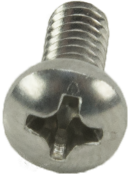
(3)505
Screw #6-32 x .375 Pan Phillips
These screws, along with the 6044 grommets, are commonly used together to secure our equipment to the backplates of our enclosures.
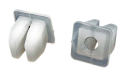
Orderable6044
Grommet for #6 or #8 Screw
These grommets are commonly used with the 505 screws to secure our equipment to the backplates of our enclosures.
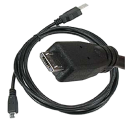
Orderable27555
USB 2.0 Cable, Type A Pin (Male) to Micro B Pin (Male), 6/6.5 ft
The 27555 is a USB Type A to Micro B, pin (male)-to-pin (male) cable, 6 to 6.5 ft long. It connects devices using the Micro B interface to a USB port on a computer.
Orderable
Compatibility
Data Logger Considerations
| Data Logger | Serial Server | PakBus Router | Bridge Mode |
| CR200(X) Series |  |
|
|
| CR300/CR310/CR350♣ | |
|
|
| CR800/CR850 | |
|
|
| CR1000 | |
|
|
| CR1000X/CR1000Xe | |
|
|
| CR3000 | |
|
|
| CR5000 | |
||
| CR9000X | * | ||
| CR6 | |
|
|
| CR510-PB | |
|
|
| CR10X-PB | |
|
|
| CR23X-PB | |
|
|
|
Mixed-Array |
** |
Notes:
♣The CR300, CR310, and CR350 connect to the NL201 using a 10873 serial that is not supplied with the data logger or the NL201. The CR300-series dataloggers are not compatible with the bridge mode functionality in the NL201 interface.
* Although compatible, the CR9000X does not need an Ethernet interface because it has an on-board Ethernet port.
** It is possible to use an NL201 to connect to a mixed-array data logger (e.g., CR10, CR10X, CR23X, 21X, CR7) by using an SC32B between the data logger's CS I/O port and the NL201's RS-232 port.
Related Resources
Case Studies

California: Wind Farm Monitoring
Meteorological and power-generating parameters monitored at wind farm
Tehachapi, California
September 10, 2012
View
Wyoming: Landslide Warning
Landslide warning system
Northeastern Wyoming, USA
March 2, 2018
View
South Dakota: Rock-Melt Monitoring
Monitoring research using resistive heater to seal boreholes
South Dakota, USA
July 18, 2018
View
Documents
- Technical Paper
Data Streaming
July 2023
View Document - Compliance
NL201 UK Declaration of Conformity
View Document - Brochure
NL201 Network Link Interface
March 2026
View Document - Manual
NL200/NL201 Product Manual (online)
April 2024
View Document
Showing 4 of 6 results
See all DocumentsDownloads
- NL200 / NL201 Drivers
January 1, 1990
Software ApplicationsWindows USB drivers for the NL200 Series are installed via the Device Configuration Utililty. In the Device Configuration Utility, click on the link "install the device driver" in the main body of text for the NL200 Series. Note: Drivers must be installed before connecting the NL200 / NL201 to your computer.
- NL200 / NL201 Firmwarev10.03Login required
September 4, 2018
OS and FirmwareCurrent NL200 / NL201 firmware. Requires the Device Configuration Utility and a USB micro cable. Note: When updating to OS 10.03 from OS 6 or previous, settings will be reinitialized to factory defaults. When updating to OS 10.03 from OS 7, settings will be retained.